Low-cost, two-axis IR distance scanner: Arduino, servos, and MATLAB visualization
ArduinoMATLABVisualization
Overview
A compact, low-cost 3D scanner built from an IR distance sensor on a two-axis pan/tilt rig. The Arduino drives servos to raster the sensor over the target, streams CSV frames over USB, and MATLAB reconstructs depth heatmaps and 3D point clouds.
Specs
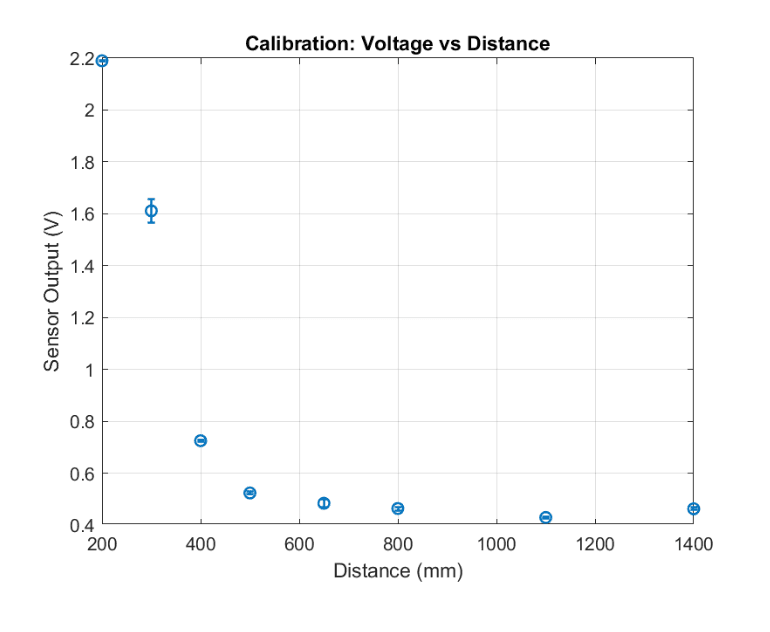
Sensing: IR distance sensor calibrated on the 200–800 mm band (inverse model applied on Arduino)
Motion: Two-axis servo rig (pan + tilt) with serpentine rastering and per-point averaging for stability
Visuals: 2D line scans, depth heatmaps, and 3D point clouds generated in MATLAB
Technical Notes
Calibration used multiple known distances and an inverse model (k / reading + c). The Arduino outputs framed CSV rows between #FRAME_START and #FRAME_END so MATLAB can reliably capture full rasters. The scanning algorithm uses alternating tilt direction per column to reduce motion overhead and backlash.
Hardware & Software
Arduino (servo control, ADC sampling), two hobby servos, IR distance sensor
MATLAB host: serial capture, framing, gridding, heatmap and 3D point cloud generation
Design considerations: servo settle time, samples per point, clamp distance to calibrated band, and serpentine sweep to cut time
Project Media
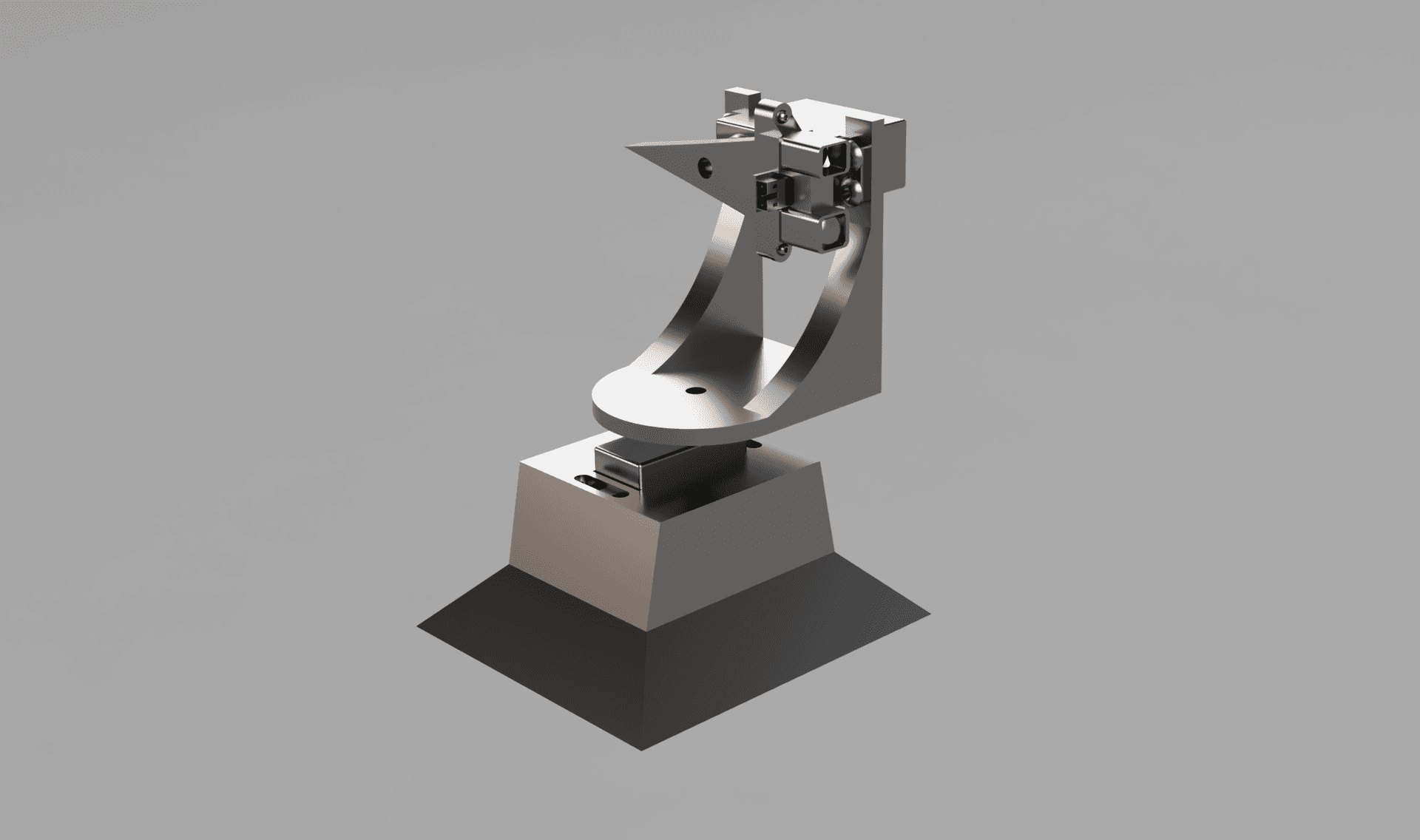
CAD render of the two-axis pan/tilt scanner assembly showing the servo rig geometry, sensor mount bracket, and structural layout designed to minimize backlash during rastering.
MATLAB calibration curve fitting the IR sensor output to the inverse distance model (k / reading + c) across the 200–800 mm operating band, used to convert raw ADC readings to physical distance.
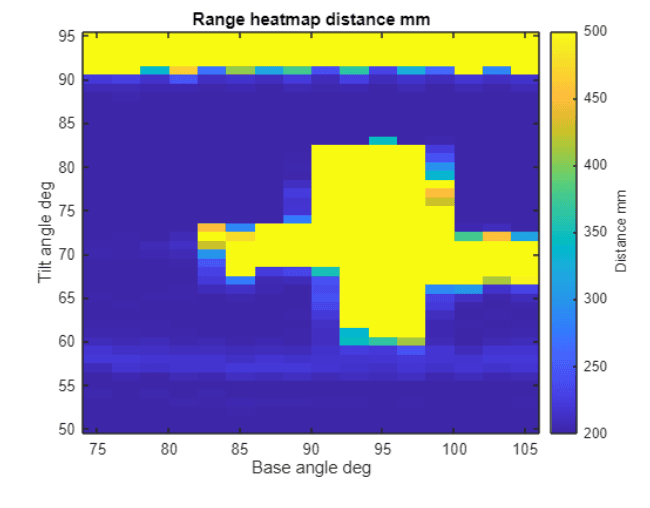
MATLAB-generated depth heatmap reconstructed from a full raster scan, showing distance variation across the target surface with color encoding from near (blue) to far (red).
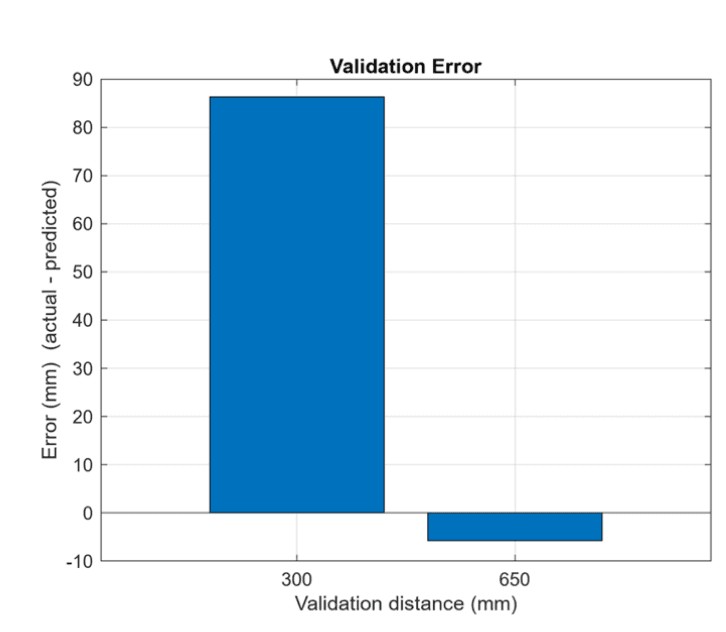
Validation plot comparing the scanner's measured distances against known reference targets, confirming accuracy across the calibrated operating range before full scanning sessions.
Documents
📄 PIE Project 2 Report (PDF)Full project report covering the scanner hardware design, calibration procedure, MATLAB visualization pipeline, and scan results with validation data.